
Showing posts with label Freeware. Show all posts
Showing posts with label Freeware. Show all posts
Tuesday, August 10, 2010
E-Book Management

Friday, January 8, 2010
Accounts Consolidator

Online service - Silentale - is designed to give easiness to manage consolidated emails in inbox, contact list in Google, some profiles in Twitter or Facebook.
Silentale is equipped with some interesting features such as it can display a collection of old messages sent to you. You can click "Timeline" tab.
What people are saying...
Silentale is one central place with the most up-to-date info for all the different accounts of my contacts, very handy!
Multimedia Download - Orbit Downloader

As a download manager software that used web 2.0 tecknology, Orbit Downloader can assist you to download video file, music, and streaming multimedia from Myspace, YouTube, Dailymotion, Yahoo!, dan some others. This application is also equipped with interesting features such as RTMP protocol support.
Tips: If you want to download some files simultaneously, you can use Grab++ function that can be accessed from menu "Tools"
Operating System: Win 2000/XP/Vista/7
web site: www.orbitdownloader.com
Monitoring via Webcam

Do you want to go on a long vacation while keeping monitoring your home? You can make use of webcamXP application. This software can be used as a monitoring tool that is integrated with web server based tools. The benefit is that you can monitor your home anytime and anywhere.
This application offers a streaming model for Windows Mobile and iPhone. Thus, you can also monitor via your mobile phone.
Operating System: Windows XP/Vista
Thursday, January 7, 2010
Easus Todo Backup

Backup your entire hard disk before your system has a serious problem! One of applications you may use to do that is "Easus Todo Backup". This easely operated application can assist you to make an image file from a partition and clone all entire data from a harddisk to another one.
This application supports IDE hard disk, SATA, SCSI, and USB flash disk. Not only that, but this appliation can also offer options to find any damage and to configure the backup result as a virtual drive.
Monday, November 23, 2009
Clever Cleaner

CleverCleaner is a free software which can be used to clean up trash files from your hard disk. In addition to remove files in temporary folder, this application can also delete cookies, log files, cache when we are surfing internet using IE, Firefox, and Opera browser.
Tips: If you want to delete other file formats, just add the format to the column "File search masks" by accessing "Options | Advanced".
Operating System: WIN 9X/ME/NT/2000/XP/VISTA
Web Site: http://clevercleaner.esite.ch
Sunday, November 22, 2009
Accessing Secure Links
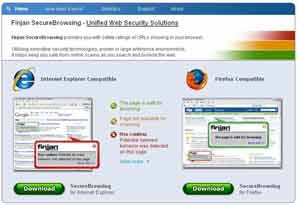
You are clicking a wrong, suspicious link in the internet? Your PC may be intruded by hackers. To protect it, if you are a Firefox or IE user, use a plug-in from Finjan and you may download it from http://securebrowsing.finjan.com. This plug-in will analyze page search results from Google, Yahoo. MSN, and some other sites.
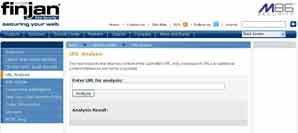
Tips: To check a site manually, you can visit www.finjan.com then copy the site's link and insert it in the "URL Analysis" box in the "Security Center" menu.
Wednesday, November 18, 2009
Free VideoLAN Player
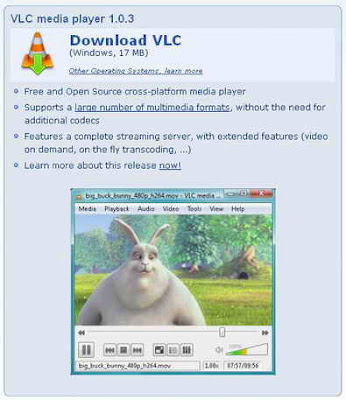
VideoLan -VLC media player is a free and open source software and now getting into final version 1.0.3 Developers named it "Goldeneye" version. Its special quality is lighter and can accomodate more newest functionalities.
Currently, the aplication has more practicability to play all video and audio file formats including Dolby Digital Plus (E-AC-3), AES3, TrueHD, and Blu-Ray Linear PCM.
In addition, to precord streaming file, you don't need to push many buttons. Just set destination folder, then click "Stream" button.
The other newest feature is Global Hotkey. This feature can be configured from menu "Tool | Preferences | Hotkeys".
Tips #1: For default, the equalizer functionality is not active. To activate it, open Adjustments and Effects window by pushing [CTRL] + [E] buttons, then choose "Audio Effects | Graphic Equalizer" and check "Enable box". Still in the same window, choose "Video Effects" tab and you can set lighting and color from the playing video file.
Subscribe to:
Posts (Atom)